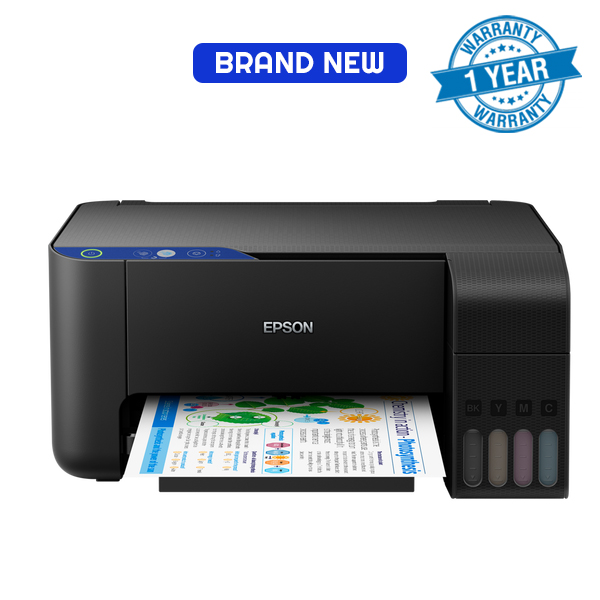
Epson L3251 printer SpecsThe Epson L3251 is an amazing consumer printer with advanced features like Wireless printing. The L3251 is an economical printer with high print yields (8,100 pages in black; 6,500 pages in colour) in high quality resolution. The Epson L3251 printer price in Kenya is Ksh.26,999Epson L3251 printer technical specs:Printer FunctionsPrint, Scan, CopyPrint Resolution Best5760 x 1440 dpiPrint Speed in black and colour33 ppm and 15 ppm respectivelyScanner typeContact image sensorScan speed single-sided11 sec in black ; 28 secMaximum scan area216 x 297 mmBest copy resolution600 x 600 dpiCopy speed in black and colour7.7 ipm (black); 3.8 ipm (colour)Maximum copies from standalone20 copiesBest scan resolution1200 x 2400 dpiNumber of paper trays1Supported paper formatsA4; A6; A5; B5; Envelope; C6; Letter; LegalPaper output max capacity30 sheetsPaper input max capacity100 sheetsConnectivity (Interfaces)USB, Wi-Fi, Wi-Fi DirectMobile printing appEpson ConnectWeight3.9 kgCompatible OSmacOS X 10.6.8 or later; Windows 7 or later; Windows Server 2003 or laterDimensions37.5 x 34.7 x 17.9 in cmProduct weight3.9 kgEpson L3251 ink, driver’s and installation:Ink:This inkjet printer uses ink bottles, which are specifically prescribed from Epson. The L3251 uses the 103 ink series 65ml bottles which come in four colors: black, yellow, cyan and magenta. The inks are capable of printing 4500 pages in black and 7,500 pages in colour.Driver’s:For you to communicate and use this inkjet printer, you need the appropriate drivers. The L3251 can be connected to your computer via Wi-Fi or USB connection. You can also print using a smartphone device using the dedicated HP smart app. You can download the L3251 software drivers from the Epson official website. Inside the box, you will also find the drivers found on a CD that comes with the printer.How to install the L3251:Installing the L3251 can seem like a daunting task, but in reality it’s really a very simple process that takes a very short time. If you encounter any difficulties, don’t hesitate to contact us. Here are the steps:Connect the printer to a power sourceInstall the inks that come boxed with the printer Connect the printer to your computer via network, USB or Wi-Fi interface : For a network connection, you will require an Ethernet cable. To print via Wi-Fi, you will need to configure the Wi-Fi details like password by following the prompts on the printer. Category: Epson printers Tags: all in one printer, color printer, epson printer dealers in kenya, inkjet printers, wireless printer